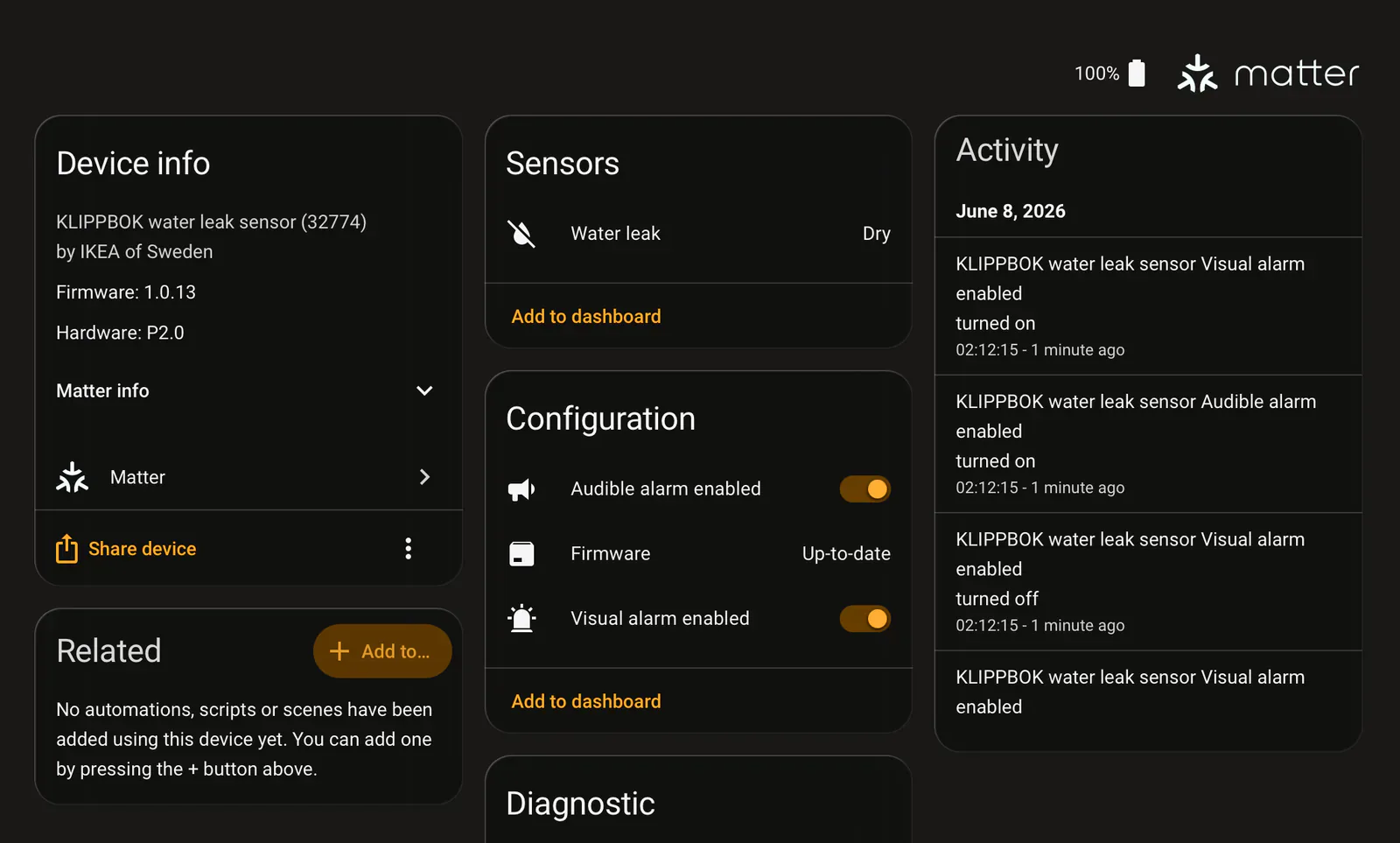
Home Assistant 2026.10.0, released October 7, 2026, brings separate sound and light settings for supported Matter leak sensors to the stable channel. The final release notes name IKEA KLIPPBOK as an example. Owners no longer need to join the beta to configure these alarm modes.
Updated October 8, 2026: this article originally covered the beta. The stable release retains the controls described below.
The useful change is control over how a leak sensor warns you. The implementation adds separate configuration switches for audible and visual alarms, preserving one setting when you change the other. They enable or disable those alarm modes; they are not buttons for remotely sounding a siren. If you bought a sensor mainly to hear a leak from the next room, keep its audible warning enabled.
The sensor must expose the setting
Home Assistant creates these controls only when the accessory exposes the required alarm features and command. A Matter logo alone does not guarantee either switch. The 2026.10.0 implementation still checks those capabilities; installing stable does not make an unsupported sensor gain them.
The stable release also includes the one-touch locking setting for Matter locks that expose it. That setting determines whether a single keypad touch can lock the door; it does not add keypad hardware or promise support for every Matter lock. The release notes do not give a complete model and firmware list for these controls.
For KLIPPBOK owners, this is an extra configuration option, not a reason to replace a working sensor. Connected use still needs Home Assistant's Matter integration and a Thread border router. Matterhome has not tested these controls or verified them across regional KLIPPBOK firmware versions.
Home Assistant OS users can follow the normal Core update instructions: back up the installation, review backward-incompatible changes, then open Settings and select the Home Assistant Core update notification. After updating, check for repair issues and confirm that the alarm mode you rely on remains enabled.
- Editor
- JC Martinez
AI tools may help draft or organize pages. Matterhome checks product claims against cited sources before publication.
Spot a mistake or missing context?
Send a quick note so it can be checked against the source material.